
Compressing an image is very important especially for your website as larger files take a while to load, as Google hates sites that take half a millennium to load. So not only will it be quicker to upload them to your site but it will also be quicker to load for your visitors.
Plus it’s also good for loading your personal pictures on to things like Facebook or just to store them on a hard drive or something.
So, drum roll please… To compress image size like a boss you need a tool call RIOT (Radical Image Optimization Tool).
How To Run RIOT All Over Your Images
So after you’ve downloaded the program from the creators website and then you need to launch the program.
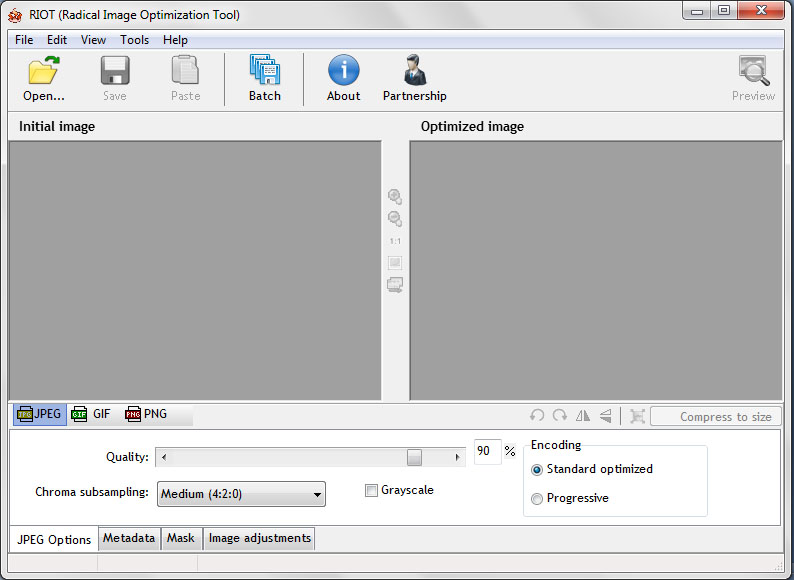
Open up an image into the program, or you can drag and drop an image in there, and you’re ready to start compressing.
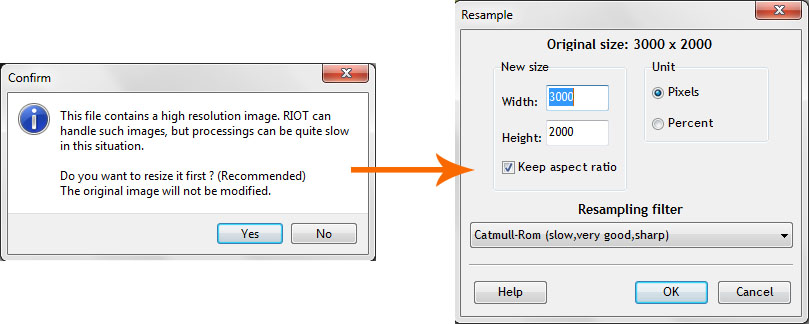
If the file is too large, the program will also ask you if you want to resize it too.
Now you can see what the final image size is going to be. The image on the left is the original image and the one on the right is the new image size. As you can see you can get some radical changes!
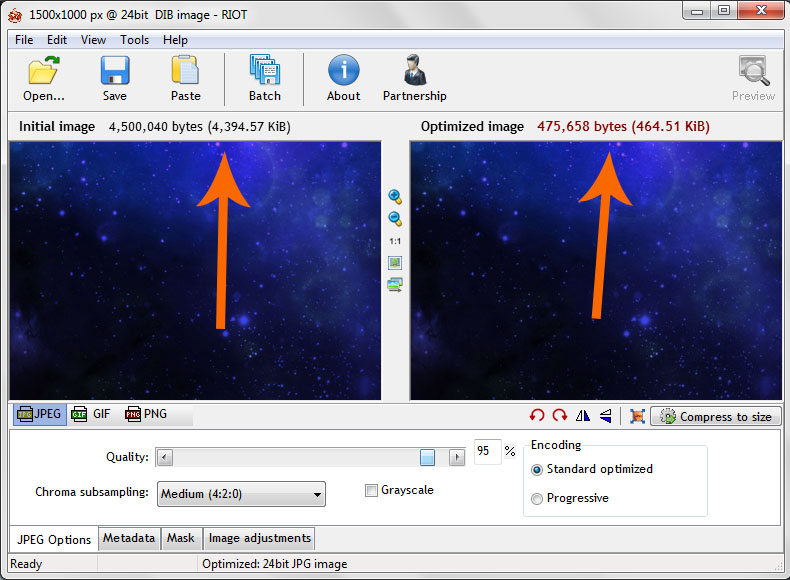
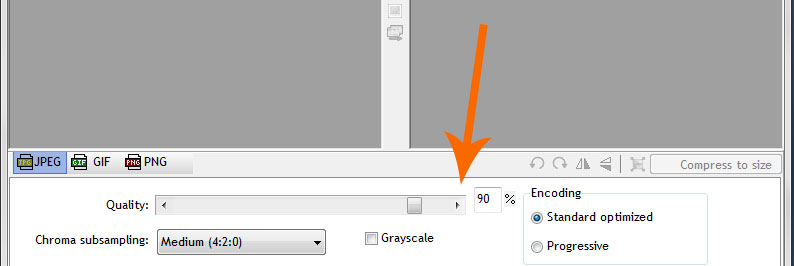
If you wish to make the image size smaller, then you just adjust the slider at the bottom. The percentage shows you the adjusted quality of the image and this in turn makes the image smaller. Personally I keep in between 90% and 95% as this keeps the larger images still in amazing quality.
Once you’re happy with the final image size just hit the save button. It will save over the original image so if you wanted to keep the original too then you’ll have to rename the new image.
And That’s It Dudes and Dudettes
Now you’ll have pretty little images that you can load onto your WordPress websites or onto your social profiles. It only takes a few seconds to resize your images and you can do it all for free. The software doesn’t cost anything.
There are other programs out there that can do the same job. I use to use Adobe’s Photoshop to resize images but that takes a little longer and for some people there might be a little bit of a learning curve on how to use it. So this option is pretty simple. Follow the steps I’ve laid out up top and you’re compressing images like a BOSS!
If you found this helpful dudes and dudettes leave me a comment below and remember, hit those pretty Facebook and Twitter buttons too!
Now go run RIOT all over some images!


